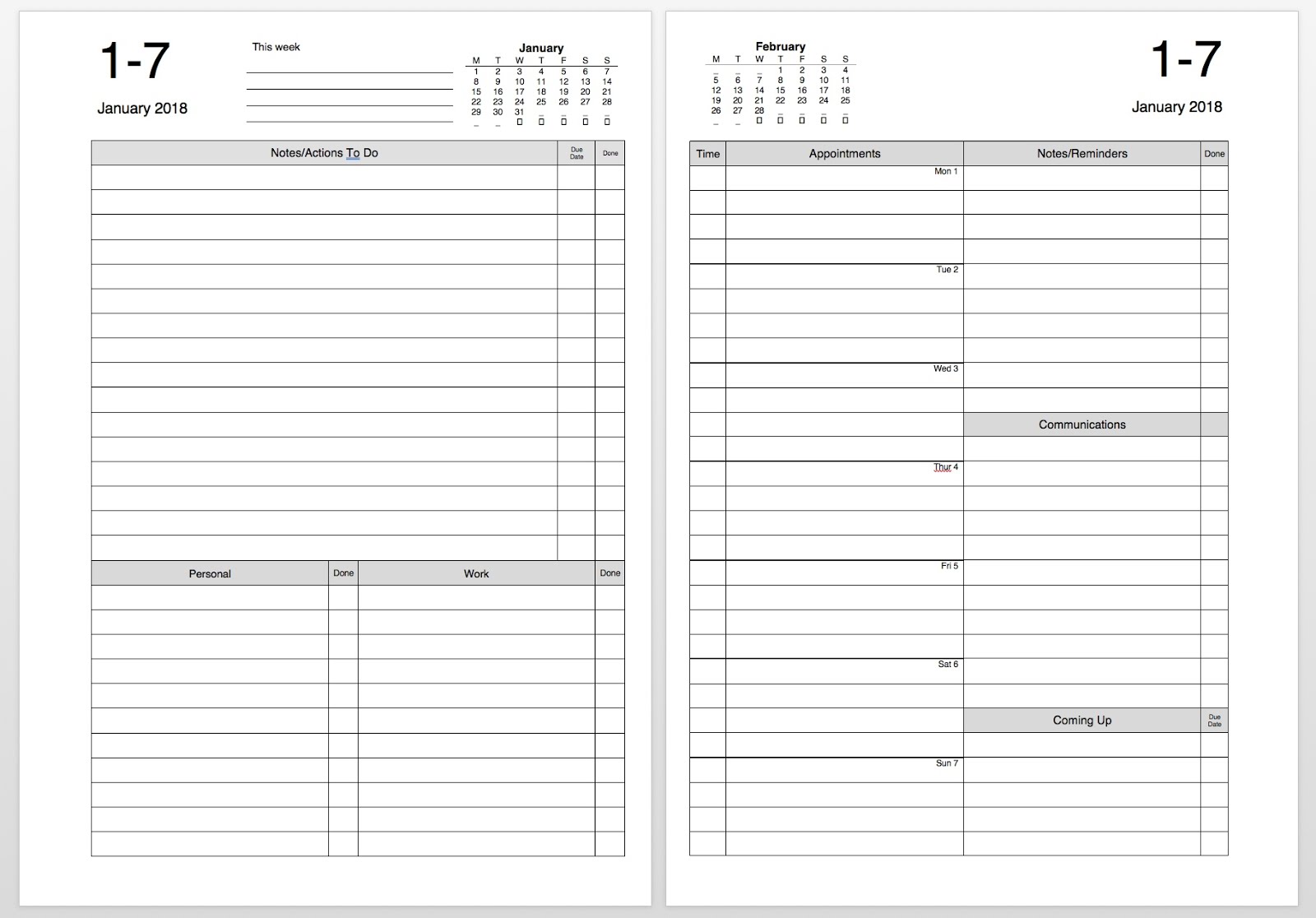
There are some simple basic rules to using the Philofaxy diary inserts. Follow the rules and you should be able to produce your own inserts successfully.
If in doubt or if you are still having issues then contact Steve by email steve at philofaxy dot com.
1. Make sure you have downloaded the correct files. We offer 'pre-merged' versions in Word and PDF versions.
The Word ones tend to be less trouble to print than the PDF files. The 'Pre-Merged' versions are the ones that are ready to print, fresh out of the box, you can modify them, but you will have a lot of work to do!.
Also read the notes on printing below, which apply to pre-merged and modified files.
2. If you want to modify one of our inserts, may be to add some colour, or to change the fonts (within reason) then you need to download the source files, this is a Word File and an Excel file. The Word file will only be 1, 2, or 4 pages in length. (hint!) The Excel file contains all the date information.
There aren't different Excel files for different years, you just change the date in Cell A2 and save the file and then you will have a file to create a new 12 months worth of inserts.
So you can do any 12 month span from this file. We are traditional in doing Jan-December, but if you wanted to do an Academic Year then just set the start date in the Excel file (Cell A2) to your term start date.
3. After doing your mail merge on a modified source file there are a couple of things you need to do on the new file it creates.
- Firstly you need to remove the section breaks from the whole file. To do this the easy/quick way. Do a Find and Replace, in Edit, select Find, Replace. Set Find to ^B (Section Break) and leave the replace blank. It should report finding the number of section breaks depending on the type of insert. 52 in the case of a Week per View insert.
- In the case of a 'Per View' e.g. Week per View (Week on two pages) Month per view, type insert, you need to insert a blank page at the start of the file. So put your cursor at the start of the file and 'Insert' 'Page Break'
You need to remove the section breaks so that the page margins are correct as they are 'mirrored' margins so the pages will appear to go 'left, right, left' as you scroll down through the file. This is to allow for the binding/ring margin.
The extra blank page is required to make sure that the pages when printed are 'in sync', without that page the first page of your Week per View would be on one side of the paper, and the second page on the reverse side of the same sheet, not very easy to use.
4. If your modifications didn't work out, just go back to your source file make some modifications and try again. Limit printing to say the first 4 or 8 pages, so you don't waste paper.
5. When printing your files always print in 'Normal' order ie page 1 first, not in Reverse or Collated order. The actual terminology will vary depending on the make/model of your printer and the way in which the sheets are printed, so it is not possible to give any concrete information on what to look for.
Do a test print and note which page gets printed first, if it is page 1, then page 2 etc you are in business. Printing in the reverse order will often end up with your pages out of sync (not facing each other correctly)
6. You must not use our files in their downloaded state or modified state for commercial reasons, so please do not sell them. Share them for free of course, but please do not try to profit from our hard work.
Those are the main rules, but there are several other things that pop up frequently that I will address here. In no particular order.
Q1. Why don't the files include Week Numbers?
A1. There are three standards for
Week Numbering used in the World. USA uses one standard that isn't the ISO standard for Week Numbering that the majority of the world uses. Given that Microsoft is in the USA, therefore you have to 'break' Excel with macros to get it to produce Week Numbers to the ISO standard!!
Also we wanted to make our files available to as wide an audience as possible without there being any issues of differences in location.
Q2. Why do you use Monday to start the week and not Sunday?
A2. Again this varies depending on your location. The
ISO standard for Weeks sets Monday as the start of the week, and the USA, Canada and Japan don't follow the ISO standard.
That said you are welcome to modify our files to do Sunday start if you really can't live with Monday start. Some examples have been shared previously. See
here and for
monthly here.
Q3. 'I can't get A4 paper where I live, where can I get it from?'
A3. Take a look on
Amazon USA it is available outside of Europe and the rest of the world that uses ISO page sizes.
Q4. 'All of your files are A4 not A5?'
A4. Yes that is correct they have to be if you are going to use the booklet printing facility on some printers.
If you are going to print straight on to A5 paper, then scale to fit A5 or by a percentage of 71%
Q5. 'My pages aren't printing correctly, can you please check the file'
A5. Make sure you are printing the file from page 1 not the last page. It is possible we have forgotten to add a blank page to the front of the file, we are human after all!
Q6. 'The margins are coming out all wrong when I print your files'
A6. Make sure you are printing on the correct size of paper for the file A4, A5 or Letter size paper. A4 is not the same as Letter Size paper.
If you have created your own file from our source files, make sure you have removed the section breaks as mentioned in Golden Rule 3 above.
Q7. "Will you do me an insert with x days and y days missing, etc etc?"
A7. We get a few odd requests. Weeks without weekends (Work Week), Weeks that start on a Thursday and bigger space for certain days and not others. You name it, we have been asked it over the last few years.
If I'm not busy then I will often create a set of files for you from one of our existing files if it isn't too much of a time suck. But I will often point people in the direction of trying to do the edit themselves so they have full control over the final product. As long as they realise they can't sell it. (see 6 above).
Of course if you get stuck I am happy to help.
Q8. 'Can you help me with x on y insert?'
A8. Yes of course I've even done things remote on peoples PC's whilst talking to them on Skype, because obviously I can't see what has come out of the printer! But again subject to time allowing we can try to solve any issue.
I hope this post helps you use our inserts. Learning how to use our files and making your own version and getting them printed can be a steep learning curve, but one worth doing if you want to have an insert that is perfect for you that isn't going to go out of stock, or be discontinued.