Showing posts with label Set-up. Show all posts

26 January 2026

Set-Up Changes?

As we enter the last week of January. You might be considering reviewing how well your organiser is working for you, especially if you have changed diary layouts or size or both in my case! 

I am enjoying using Personal Size once again, I haven't had any major regrets yet. I like seeing my appointments and tasks against each day, rather than on the facing pages. 

It goes without saying that there is no universal set up that will work for everyone. We all lead different lives and we all put different demands on our organisers on a daily basis. What suits one person will not suit someone else.

If your set up is working well... leave it... don't change it just on a whim. But in the case of someone who is new to paper planning or their circumstances have changed and whilst you thought it was the perfect set up it might not be working quite as you expected.

By all means change your set up in what ever way you need to to make it work..... but a word of caution.... don't make too many changes at once.

Only change one thing at a time and give it may be two weeks before you decide if that change (what ever it was) is going to make your organiser work for you.

By making your changes one step at a time you will understand the problems better and the set up will stand the test of time unless your circumstances change of course.....

Are you happy with your current set up, even if it is the same as last year?

26 September 2025

Free For All Friday - No. 881 by Anita

Looking back through some of my posts here, I can definitely see that I'm a creature of habit. I read David Allen's Getting Things Done back in 2009, and then found my way to Filofax whilst looking for something to house my GTD system. Since then I've faithfully stuck to using either my GTD based set up or my simplified version. At some point, I added an A to Z to my reference/miscellaneous section, but apart from that, my set up really hasn't changed in all those years. 

However, recently I have been wondering about making a change. Not exactly because what I'm using is no longer working, but because I'm curious about trying some thing else. I sometimes find a change can freshen something up and/or encourage me to view things differently. 

So, I'm curious as to how you might go about this? For example, I could sit down and put together a potential different set up and start using it straight away. Or I could set it up in a spare Filofax ready to try at a time when work is less busy etc. For some years, I would eventually return to owning just the one Filofax, but I can definitely see the benefit of having more than one, so that I can use one or some to house different layouts like this. 

As usual, I'm currently using my faithful Kensington, so I could set up my zipped Holborn ready to use as a bullet journal and I can see how I get on with it. And the added bonus of doing it this way is that I can easily return to my original set up if I don't find that I'm getting on with the bullet journal. 

When you change your set up, do you start using the new one straight away, and/or do you keep different layouts in different organisers ready to use?  

And as always on Fridays, please feel free to discuss anything organiser related. I hope that you have a great weekend.  

18 January 2024

Changing Your Set Up?

As we approach the end of the first month of the New Year, I'm sure a lot of you are either using the same set up that you did last year.... why change something that works. 'If it ain't broke don't fix it' as the famous saying goes....

I'm sure there are quite a few readers that have tried out a variation on last years set up or a completely new set up compared to last year.

My own set up is largely unchanged, but I'm always looking to improve it, a small tweak here or there to improve various aspects of it.

It goes without saying that there is no universal set up that will work for everyone. We all lead different lives and we all put different demands on our organisers on a daily basis. What suits one person will not suit some one else.

So I'm not going to attempt convince you to go big rings or go small rings, or A5, Personal or Pocket. There are so many variations to this common problem.....

So if your set up is working well... leave it... don't change it just on a whim. But in the case of someone who is new to paper planning or their circumstances have changed and whilst you thought it was the perfect set up it might not be working quite as you expected.

By all means change your set up in what ever way you need to to make it work..... but a word of caution.... don't make too many changes at once.

Only change one thing at a time and give it may be two weeks before you decide if that change (what ever it was) is going to make your organiser work for you.

By making your changes one step at a time you will understand the problems better and the set up will stand the test of time unless your circumstances change of course.....

12 September 2022

Getting back to rings - my minimal Lefax set up

As mentioned in one of my previous Free For All Fridays, I've had a couple of months off from using an organiser and I feel that the break has served me well. I hadn't set any deadline for my return, but have recently started to feel ready to get back to it, so I thought that I would share with you the first of my two possible set ups. I have some backlog projects that I want to clear, plus the majority of my to do lists etc. are all out of date and a good review is needed anyway. 

I bought this beautiful Lefax City slimline on eBay last year, but I admit that it was bought on a bit of a whim and it's just been sat in a drawer. Whilst I love the slimine size and have owned some before, I've always ended up selling them as I find that normally the small rings don't have quite enough capacity for everything that I want to keep, plus spare paper. However, I do think that the size could work well for planning a particular project, so for the time being I will be using the Lefax as my main binder, alongside my Kensington which will hold any old notes or to do lists that need going through.

Like some slimlines, the Lefax doesn't have a penloop, so initially I tried using an Oli Clip, but eventually decided to go with the simplest option of just clipping the pen clip to the front. I think this works well with the Kaweco Sport as it's such a small pen when the cap is on.  

Dividers from Kate After Coffee (purchased by myself, not an affiliate link)
 

As I'm just easing myself into getting things done, my Lefax has just two sections - 1) Inbox and 2) Lists. I've found over the years that having an inbox as my first section works really well for me, so that I can just write something down without needing to think about where it should go. As per usual, I'm using up some out of date diary pages for writing notes. 

For my lists, I'm using some Raymay Davinci checklist sheets, which I really like. I don't remember buying these, so I think they were gifted to me by a friend.

My first list will be for next actions and any other lists will just be created as I need them. Once again, I don't have a deadline for how long I plan to use this super simple set up, but I love the idea of this fresh start, whilst I can also be working through old notes in the Kensington and adding anything that needs to be kept. I can imagine that when I've made some good progress on the contents of the Kensington, then I will be ready to move back to using personal size again as my main planner as I will also start wanting to look at other projects that need completing. 

Another potential set up that I will be looking at is to have these two sections at the front of the Kensington, and then to have the backlog as a third section after that. However, I will be trying this set up in my Lefax first to see how I get on.

25 November 2021

Using more than one organiser?

I was looking back through some old posts and came across a very cryptically titled 'Two Filofax Morton...' from November 2013. 


In that post as you will see, I was outlining how I was using two organisers, an A5 and a Personal size to organise my life. A few years later I stopped that practice and swapped back to just one, the A5. 

In the past, in discussion with others this topic has come up of should you use more than one organiser or not. I had my own reasons at the time, but things change over time and I'm now a firm believer in just using one to organiser to run my life. 

With a lot of people still working 'at home' I wonder if people that previously had an organiser dedicated to their work activities and a separate one for their home life have also amalgamated them in to one organiser? 

In my case it was the duplication of the calendars and to a lesser extent tasks and other information that stopped me using two organisers. Instead I have intensified my use of just the one organiser an A5. I'm still using the same A5 diary insert as I was back in 2013! 

Are you a 'single organiser person' or do you use more than one organiser in your day to day life?

11 June 2020

Personal Kensington flip through - by Anita

Thanks to Stephen K. from the Facebook group for requesting this post.

I've been in my Kensington since January and am feeling very content. Whilst I've owned more glamorous binders, the internal layout is perfect and the leather has aged to a wonderful squashy softness.


I discovered quite some time ago that charms annoy me as they get in the way and bang on my desk, but instead I have a piece of string from a bunch of wild flowers given to me by my best friend. My TWSBI Eco fountain pen sits inside the rings as it's too large for the Kensington pen loop. I often have temporary items at the front, like these book token cards to remind me to post them to some friends. My dashboard is from a hand painted Valentine's card from my talented husband. 

Currently I also have a quote by Albert Camus - 'Au milieu de l'hiver, j'apprenais enfin qu'il y avait en moi un été invincible'. (In the depths of winter, I finally learned that there lay within me an invincible summer) 

Behind my dashboard, I have some quotes that I currently quite like and these will get changed from time to time.


My first section doesn't have a marker or divider as it's just the first part that I come to. This is my Inbox and also holds spare paper. The contents can vary greatly, depending on what I'm up to - 
a) At its most tidy, it will only consist of blank sheets, as everything else has been processed 
b) Currently it's fairly full of random inserts as I've been having a bit of a declutter and tidy, so inserts have been dumped there for me to look at
c) Often it will only hold a couple of brain dumps and spare paper.  

As you can see from this photo, everything gets re-used and the previous quotes page is an old Dodo Pad insert being used upside down. I love looking at some people's beautifully decorated and well designed pages, but I'm just a scribbler really and nothing gets wasted!


My next section is for next actions.
(Page markers purchased from AtelierDays on Etsy)

I am still using up the Muji notepad sheets (printed on one side only) and add tick boxes on the back using my Hobonichi stencil.


My next section is for projects.


Over the years, the way that I plan projects has definitely been simplified. Once upon a time, I always used the project planning method from David Allen's book Getting Things Done - (1) Defining purpose and principles 2) Outcome visioning 3) Brainstorming 4) Organising 5) Identifying next actions).


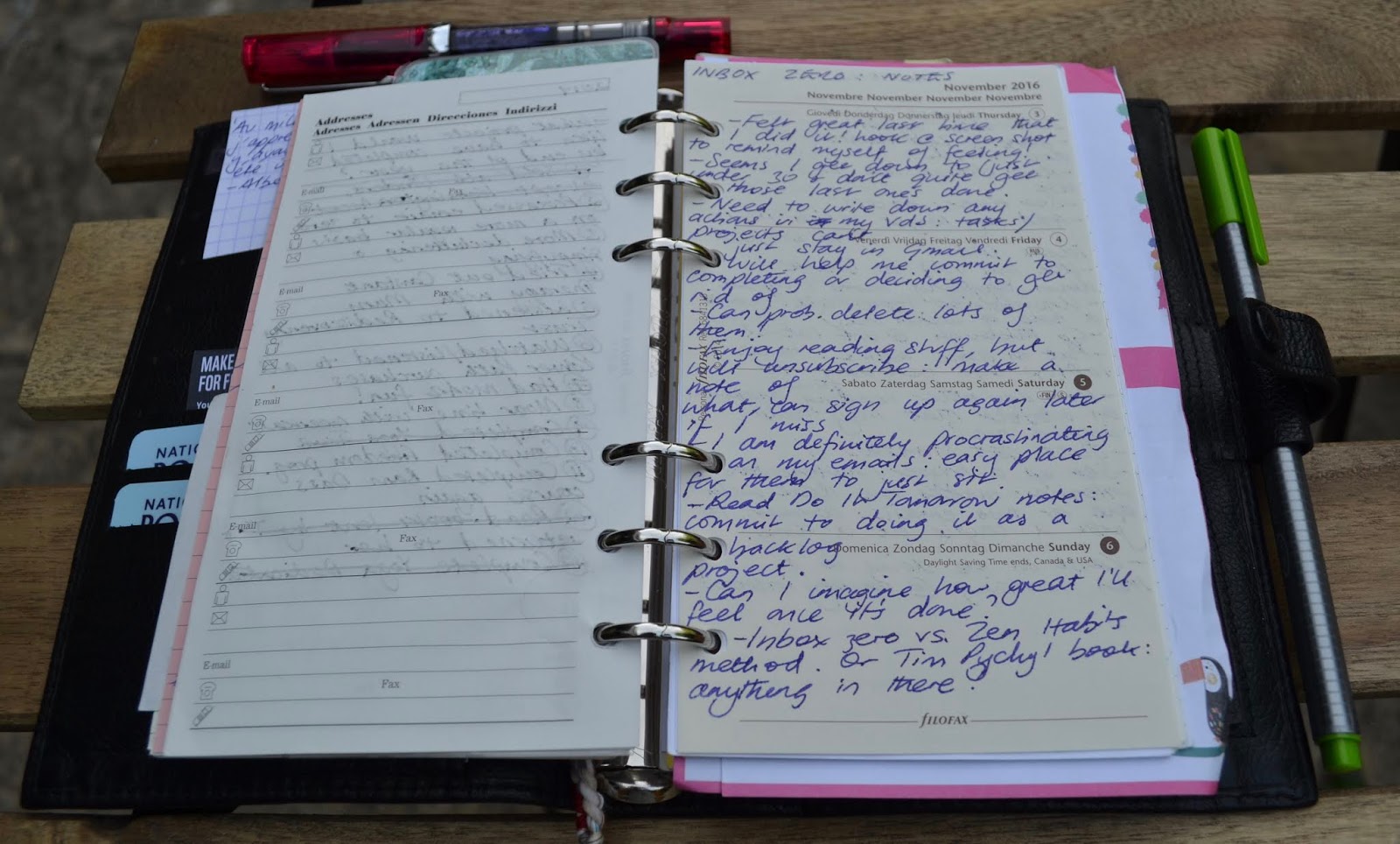
However, nowadays I've realised that most of the time, all I need is a section for notes and a separate space for actions. For example, here is my most recent planning for getting my email back under control.


On the other side, I have my actions.


My final section is my A to Z dividers. 


From Stephen - 'I, like you, use a modified GTD. Where I struggle following your process, and perhaps you could add some insight, using A-Z tabs: what types of info goes in the, how long does it stay there, does if get file away?'

Thanks for your question and it's actually helped my better understand how I use my Filofax. 
When I purchased my first one back in 2009, I was actually looking for something to hold my GTD based system and wasn't looking to use it as a diary. Apart from a short period where I used a purple mini Finsbury as a combined wallet/diary, I've rarely kept a calendar in my personal sized binder, so have more space for keeping more project notes and reference information. I use Google calendar, which syncs with my husband's iCal.

Some examples of info currently in my A to Z tabs:
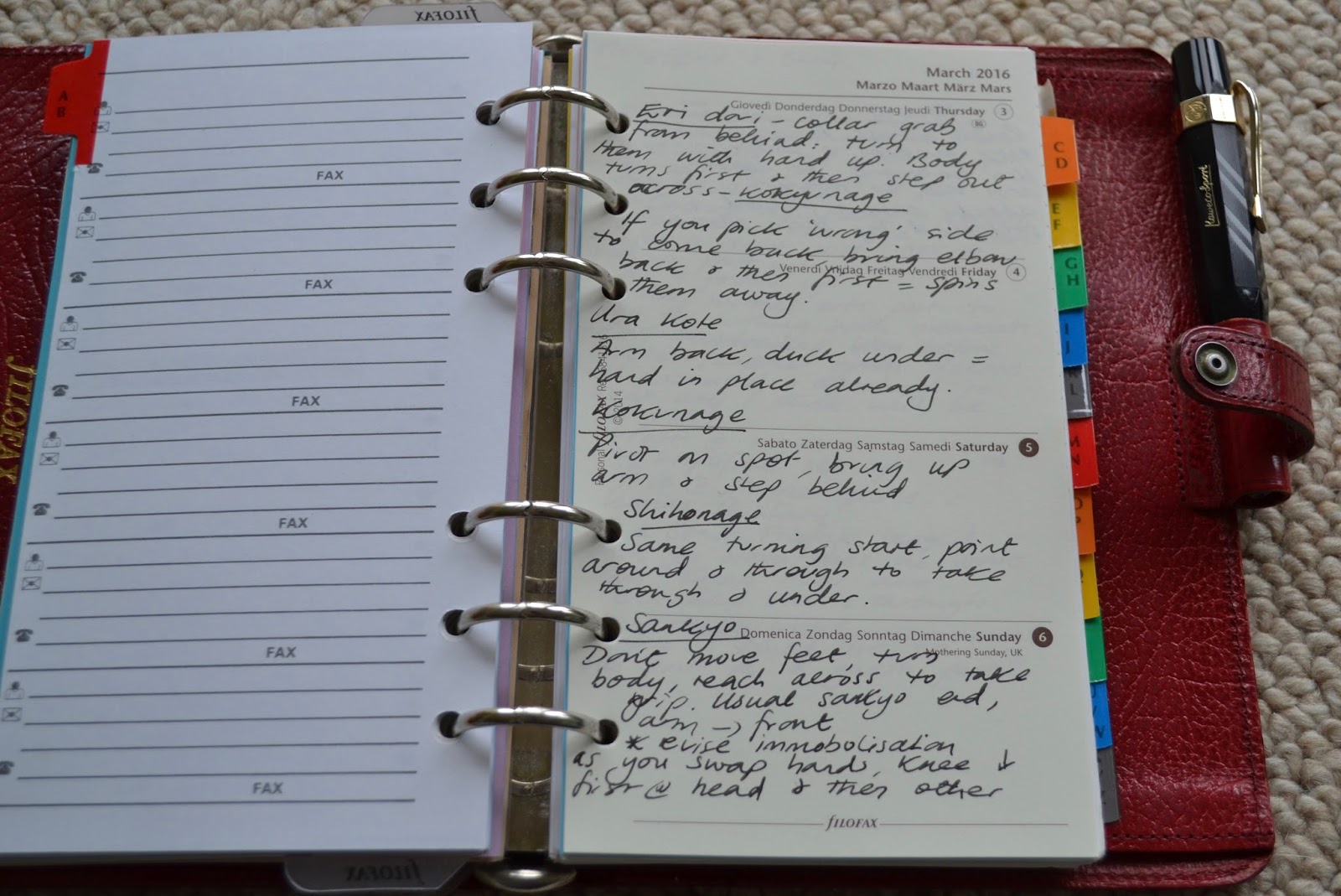
AB - notes on aikido techniques (the martial art that my husband and I practise).
CD - a picture of the Dalai Lama (I went to one of his talks and this photo came from the brochure) and some notes on decluttering.  


EF - a Zen Habits post about clearing out email and behind that exercises for my foot (for plantar fasciitis).

GH - Some random bits and hospital numbers for my Mum's appointments.

M - the largest section is for my Mum as I'm her carer. It's mostly notes from oncology appointments or about medication, with an actions sheet at the end.


R - I also keep more temporary lists here and there. For example, I purchased an audio course by the teacher and author Ram Dass, so this is currently under R.

 Y - 30 days of yoga completed (this now needs removing).


As always, the final item is my trusty Getting Things Done workflow diagram, which acts as a page lifter and handy guide to help me out, if I'm feeling a bit stuck with anything.


So, to fully answer Stephen's questions:
1) My A to Z holds all sorts of info - from essential reference details to temporary projects that I'd like to keep track of.
2) How long it will stay will depend on what is is, some items are always there like Mum's notes, notes from some books etc. Whereas others will be removed once they're completed, like my yoga sessions.
3) None of the information removed is filed anywhere else currently as I am quite discerning about what is a permanent resident in the A to Z. Currently this is working well, but if I find at a later date that it is becoming too large, then I may set up a second binder as an overflow. However, I'm loath to do that as the main reason for keeping an A to Z is for quick and easy access in one place. In the past, I had planned to remove some of my Mum's notes, but have actually reminded her consultant of something at an appointment! Currently I own the Kensington and my custom Van der Spek, so having a second as a potential back up reference book could work well, if needed.

Thanks again to Stephen for his suggestion for the post and his questions. 

12 August 2019

Current set up in my Ascot - by Anita

As mentioned in my previous post, I went on a bit of a selling spree earlier in the year and sold all my binders, except my black personal Ascot.


I have owned one of these before, but I think that this one is much nicer as the leather is softer from lots of use. I haven't included many photos here as I think that my older post already covers more details about the model.

I am still using my simplified set up and just plonked all the same contents into the Ascot when it arrived. I've just checked and I've now been in this set up since January 2018! I had planned to move back to my Getting Things Done based one, but the simplified one has been working well for me. I find that it has enough structure so that nothing gets lost, but provides enough flexibility as well with the A to Z dividers.

I have replaced the clear Filofax rulers with a compact size Franklin Covey pouch pagefinder.


And also swapped the non branded A to Z dividers to some vintage Filofax ones from 1985.
There was nothing wrong with the non branded ones, but I just think that the vintage ones go better with the Ascot.


As you can see from the photos above, I have attached my Kaweco Sport fountain pen at the top of the binder as the pen loop is too narrow for my fountain pen. I started doing this with the two pens with my Kensington, so wanted to do the same again. However, the internal layout of the Ascot is slightly different, so I was a bit concerned that the Muji pen holder would damage the leather. After a bit of experimentation, I found that a small Oli clip attached to a ring protector does the job well.


Apart from those minor changes, my simplified set up hasn't changed at all and it's great as it just works for me.

08 August 2019

Using technology and paper - by Anita

I know that I'm a little unusual in the Filofax community as I don't normally have a diary in my Filofax. Some years ago though, I did use a purple mini Finsbury as my combined wallet and diary. It worked well enough for a while, but I eventually decided to sell it as the diary was too small and the zippered pocket was tricky to easily remove coins from. I decided that if I ever wanted to go back to the wallet/diary combo, then I would upgrade to an ochre pocket Malden.

Some years have now passed since then and I have occasionally browsed pocket Maldens for sale, but never felt the need to actually purchase one. I've had a Gmail account for a long time, which syncs the calendar with my husband's iCal and it's worked well so far for us. I'm also strange as I don't own a smartphone. I suppose I always thought that I'd get around to buying one, but my little old Nokia just works and my work schedule rarely varies, apart from when I'm covering other people's holidays.

However, last year was a super busy year with family commitments and I started to feel like my brain was leaking out of my ears! I needed to keep track of other people's appointments, plus which other family members were helping out when and where. Over time, I've collected all sorts of inserts that sellers will include free with a secondhand binder, and some I've kept and some I've given away. I found some undated week per page ones (unbranded) and these were perfect for helping through the busiest period. I also quite like the month on two pages, which I've used previously for helping me keep on track with completing some projects.


Thankfully, life has now calmed down somewhat, but I still need to keep track of my Mum's appointments... I could feel myself being pulled into the rabbit hole of... I could get a pocket Malden, maybe downsize completely to pocket etc., etc. However, all my inserts and accessories are in personal size, so I really don't want to change size, unless it's really warranted. Therefore, I instead went with the cheapest and simplest option, a 99p diary that will fit in my back pocket!


I've never thought much about this before, but it seems that I tend to use more paper for my personal life and then list managers on my PC for work. I guess I've never been a 'one planner, one life' person as I don't really need to look at work stuff when I'm away from the office. At work, I use Wunderlist to keep track of tasks and projects as I find it useful for creating checklists, and to check back through completed items. However, I do also use paper to create ad hoc task lists if I'm more busy, or for when I need to figure something out. 

Ultimately, I've found that it really comes down to consistency and actually doesn't really matter what I use. It can be all too easy for me to spend time looking at another app for my Mac or consider changing binder size, but nowadays I carefully consider the benefits of any changes as otherwise it's just taking me away from the actual doing instead.

09 April 2018

Planner peace - by Anita

Looking back over the years since I purchased my first Filofax (a cherry personal Classic), I have owned many binders, and I have really enjoyed the variety that this has given me. However, as a minimalist at heart I've generally kept to a 'one in, one out' rule so that I have only owned a maximum of five at any one time. I do love looking at other people's photos of their larger collections though.

As time has gone on, I knew that I would eventually settle back down with just one binder, but I suppose I wasn't ready before as I had been enjoying trying out different models. For a long time, I used to use two binders together - a personal as my main planner and an A5 for planning projects and for when I wanted to write longer notes. However, I eventually sold my A5 as I just wasn't using it as my focus was always so much on the personal.

At one point, I did seriously considering moving over completely to the A6 size in my wonderful Mulberry. Whilst in some ways I do prefer the dimensions of A6 paper, I realised just how much personal sized paper I already have, so it seemed silly to waste that when I don't hate the size.


I have found my planner peace for quite some time now, but haven't written about it as I wanted to make sure that it was working! One important thing is that whatever I use needs some flexibility for my changing needs or for a little variety. I have been in my red Winchester since January 2017 and have recently sold all my other binders, which is such a relief. I admit that since moving into the Winchester, I have purchased a small number of others and moved into them, but have then immediately moved back out as I realised that I'd made a mistake.

This is what my planner peace looks like:


1) Pocket size Raydori kindly gifted to me by Ray Blake
I happened to mention on Facebook one day that I was tempted by the Midori Traveler's Notebook, but had never tried one and Ray very kindly offered to send me one free of charge. I love this one as it's a proper pocket size, instead of the normal Midori passport, so it will fit Field Notes, Moleskine cahiers or a pocket notebook. I tend to use the Raydori for when I need a change, or if I want something more portable than a personal Filofax.

2) Red Winchester
This is 'the one' and the mainstay of my planning.
I have two set ups that I can choose between and other than that, I don't mess with my system:
a) Getting Things Done based
b) Simplified set up - I am using this at the moment, but moving back to the GTD one would be very simple and would only involve moving into new sections.

3) A5 Leuchtturm lined notebook
I don't use this all the time, but will sometimes plan projects in here as it gives me so much more page space, compared with my Filofax. I also use it to make notes on any studying that I'm doing.


So, that's it!
I feel like I have the best of both worlds with using notebooks and a Filofax together, but my Winchester is the one that I mostly use as you can't beat the flexibility of being able to remove and replace pages.

04 April 2018

My simplified set up - by Anita

I've been using my Getting Things Done based set up consistently since getting my first Filofax back in 2009. I may buy different binders, but my cardinal rule is not to mess with the system as I know that way leads to chaos and madness! Too much choice for me inevitably leads to procrastination and perfectionism, so I tend to leave it alone as it works. I did briefly set my Kensington up based on the Strikethru system, but whilst I do like it, I quickly changed back to the GTD one as I didn't feel the benefits were enough just for the sake of a change.

However, after 9 years I decided that it was time to have a go at using a more simplified layout. In general, I've been craving more simplicity in my life so decided to apply that to my beloved Winchester.


My sections are:
1) Inbox with spare paper
2) Lists
3) A-Z for everything else.
I don't have a diary section as I use Google calendar, which I know is less common in the Filofax community. I work set hours each week, so our combined calendar is fairly simple. I think I would go back to using a Filofax as a diary if I needed to keep track of more appointments or events though.

As I have so few sections, I realised that I could do away with my normal dividers, so I have two clear Filofax rulers to help me easily find the start of my Inbox & then the Lists section. I use an Oli clip to bookmark something that I'm currently working on.


One big change for me has been improving my to-do list pages as I used to always use either lined or blank paper, like this:


When the list is newly written it's fine, but I've been finding that as I cross items out it becomes harder and harder to see what is still outstanding.

Whilst I've been decluttering, I came across a to-do list pad from Muji which I had forgotten. After chopping off a little extra length at the bottom, they are perfect. The Oli clip is also strong enough to attach papers to the front of my binder to help me focus, if I need it.


Instead of a to-do list with items all squashed together, this is what I now see when I turn to my Lists section. So much easier to read! As the sheets are slightly narrower than Filofax inserts, I snip across on them to the hole punched holes so that I can pull a page out easily, rather than trying to write on them on the reverse (like the slits that are on a Filofax ruler).


Sadly the pad is not double sided, so the other side is blank. I treated myself to a Hobonichi stencil and some Staedtler Triplus fineliner pens, so I draw the boxes and separating lines on the blank side in a different colour. The Winchester only has one pen loop, but the Staedtler pen fits in nicely next to my fountain pen once I close the fastener and stays in place (as per my first photo).


I normally only use my Kaweco Sport fountain pen, so I'm finding that a bit of extra colour helps brighten up the page and to make things clearer to read.

Once I have used up all the Muji sheets, I will then move onto some lovely Raymay Davinci to-do inserts that David P. kindly gave to me.

Next up is my A to Z section which is still a work in progress. I had some different types of A-Z dividers, but chose these non-branded ones as they're very thin and I like the colourful tabs.
I'm also using up some small notepaper stuck on with some washi tape.


My current project notes are filed under P, but my master projects list is in the Lists section. In my old set up, these were both together in my Projects section, so I may reconsider how I approach this as time goes on.

Some examples of current items in my A-Z:
1) Notes on aikido (the Japanese martial art I practise)
2) Notes on the book Do It Tomorrow by Mark Forster.


 I think as time goes on, I will need to look at what I keep in the A to Z section, but at the moment I feel I have lots of spare capacity after removing the laminated dividers.

The final item in my binder is my faithful Getting Things Done workflow diagram. I scaled it down in size on a photocopier, laminated it and stuck on some washi tape so that I can quickly turn to it. It's been chopped down and hole punched for when I was using A6 size, but it's in every binder that I've used for many years.


So, that's my current set up which I've been using since the beginning of the year and I'm very happy with it. I feel that it's simple, but has enough flexibility so that I don't need to think about where to write something.

29 January 2015

Changing Your Set Up?

As we approach the end of the first month of the new year, I'm sure a lot of you are either using the same set up that you did last year.... why change something that works. 'If it ain't broke don't fix it' as the famous saying goes....

I'm sure there are quite a few readers that have tried out a variation on last years set up or a completely new set up compared to last year.

My own set up is largely unchanged, but I'm always looking to improve it, a small tweak here or there to improve various aspects of it.

It goes without saying that there is no universal set up that will work for everyone. We all lead different lives and we all put different demands on our organisers on a daily basis. What suits one person will not suit some one else.

So I'm not going to attempt convince you to go big rings or go small rings, or A5, Personal or Pocket. There are so many variations to this common problem.....

So if your set up is working well... leave it... don't change it just on a whim.  But in the case of someone who is new to paper planning or their circumstances have changed and whilst you thought it was the perfect set up it might not be working quite as you expected.

By all means change your set up in what ever way you need to to make it work..... but a word of caution.... don't make too many changes at once.

Only change one thing at a time and give it may be two weeks before you decide if that change (what ever it was) is going to make your organiser work for you.

By making your changes one step at a time you will understand the problems better and the set up will stand the test of time unless your circumstances change of course.....

06 November 2014

My set up (based on Getting Things Done) - by Anita

I am a fan of Getting Things Done and had already read the book before I purchased my first Filofax. A portable leather binder seemed the perfect solution to keeping everything all in one place, and I have been using a GTD based set up since day one. I very rarely change anything in my system as I know it works so well, and any problems tend to come from me not keeping it up to date.

My current sections are as follows:
  • Notes/In - this is regularly processed to zero, with some blank paper at the back
  • Next actions - my to-do lists with everything broken down into an action that is ready to be done, rather than something like 'file my tax return' (which would go into Projects)
  • Projects - a list of current projects at the front with details about each project 
  • Reference/Miscellaneous. 
I haven't used a Filofax as a diary for some years now and use Google calendar on my iPod Touch instead.
I am on a bit of a simplifying mission in general right now, so it isn't surprising that my Filofaxes have come under some recent scrutiny! I love these dividers that I have been using, but they just feel a bit too cute for me right now. These Franklin Covey multi-colour Pagefinders are just what I wanted to add a bit of colour without any patterns or adding too much bulk. 


This is what the front of my Kensington looks like, but since taking the photo I have processed the notes into the appropriate place or done the action.   


I used to have a divider for Notes/In at the front, but it occurred to me that I just didn't need it as it's always the first thing that I come to. The plastic pencil case is very handy for holding receipts etc. and for sticking post-its on. 

My to-dos (called next actions in GTD) are sorted by context to break them down into where I need to be, or what to use to do them. I can easily feel overwhelmed, so just focusing on one list really helps me. I currently have:
  • @ Mac (renamed as I finally moved from PC to one)
  • @ home
  • @ errands
  • @ phone
  • @ waiting for
  • @ someday/maybe - regularly reviewed so that it doesn't become a dumping ground, and future projects go here. 

I used to use alphabet stamps to write the context on the top, but I gave them away as just writing in a different colour helps it stand out. I've also used Filofax to-do inserts and the Philofaxy ones, but unlined paper seems to be suiting me the best right now. I only use lined or plain inserts, and don't print any forms. Once again, I'm just trying to keep it simple.   

At the start of my project section, I keep a copy of some GTD guidelines on how to plan a project. 

I'm considering adding an A-Z index to my final reference/miscellaneous section as it could do with a bit of tidying up.


At the back of my binder, I keep a laminated copy of the GTD workflow diagram, which I find invaluable in helping me figure what to do with all my stuff.

GTD workflow diagram
As you can see from my photographs, I'm not really one for decorating my filo. Whilst I enjoy looking at other people's washi tape and stickers etc., I know that I would personally find it too busy to look at. As well as the coloured Pagefinders, I do have some other bits and pieces that help brighten it up.

Sushi notepaper for ad-hoc notes

An envelope from my wedding used as an extra bookmark
I also have my red A5 Ascot which currently houses some study notes, more project support info and reading materials.

If you are interested in reading more about GTD and Filofaxes, you can find other posts on the subject here.