Showing posts with label Bullet Journal. Show all posts

26 September 2025

Free For All Friday - No. 881 by Anita

Looking back through some of my posts here, I can definitely see that I'm a creature of habit. I read David Allen's Getting Things Done back in 2009, and then found my way to Filofax whilst looking for something to house my GTD system. Since then I've faithfully stuck to using either my GTD based set up or my simplified version. At some point, I added an A to Z to my reference/miscellaneous section, but apart from that, my set up really hasn't changed in all those years. 

However, recently I have been wondering about making a change. Not exactly because what I'm using is no longer working, but because I'm curious about trying some thing else. I sometimes find a change can freshen something up and/or encourage me to view things differently. 

So, I'm curious as to how you might go about this? For example, I could sit down and put together a potential different set up and start using it straight away. Or I could set it up in a spare Filofax ready to try at a time when work is less busy etc. For some years, I would eventually return to owning just the one Filofax, but I can definitely see the benefit of having more than one, so that I can use one or some to house different layouts like this. 

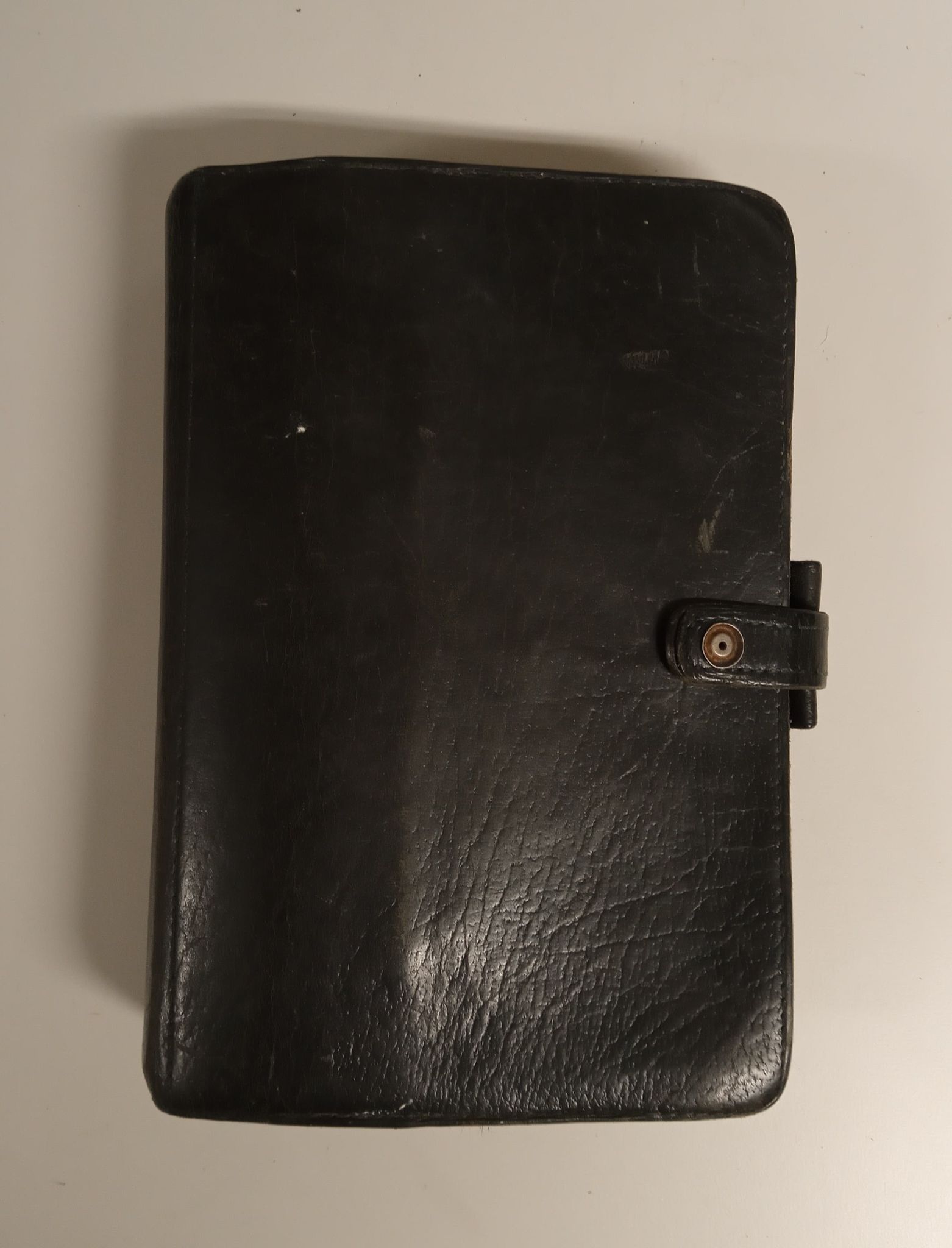
As usual, I'm currently using my faithful Kensington, so I could set up my zipped Holborn ready to use as a bullet journal and I can see how I get on with it. And the added bonus of doing it this way is that I can easily return to my original set up if I don't find that I'm getting on with the bullet journal. 

When you change your set up, do you start using the new one straight away, and/or do you keep different layouts in different organisers ready to use?  

And as always on Fridays, please feel free to discuss anything organiser related. I hope that you have a great weekend.  

14 March 2025

Free For All Friday No 853 by Laurie

A5 Kendal Filofax, large Moleskine notebook

Over the years I have done various permutations of bullet journaling with mixed results. In December I decided to go all in and do the actual Bullet Journal Method in a bound notebook, until I fill the notebook. The notebook is now almost full, and here is what I have learned.

In all of my previous experiences with Bullet Journaling, I've been frustrated with pages mixed in together: daily logs interspersed with lists, notes, trackers, weekly and monthly reviews. Even with indexing, it's difficult for me to find things buried in the pages. That has always been my bullet journaling downfall, and it almost was this time too. 

But I pushed through, and with color coding at the tops of my pages, I managed to create ways to find what I was looking for more easily. 

But another issue remained: it's still inconvenient to sift through my notebook pages to compare my weekly and monthly reviews and see my progress over time. A notebook only lasts me 3-4 months, so to compare month to month and see my progress over the course of a year I'd be flipping through pages in multiple notebooks.

I've found writing weekly and monthly reviews to be one of the most useful aspects of bullet journaling. I like writing my weekly and monthly reviews in my notebook, because I find a two-page spread allows me to expand my thoughts better than pages on rings. So I will continue to do that in my next notebook. But my Filofax has saved the day with a long-term solution.

I photocopy my weekly and monthly review pages and put them into my Filofax in tabbed monthly sections, so I can easily compare over the months how I've progressed, if any issues are recurring, and any other developments over time. 

I also put any lists, reference information, and anything else I want to keep longer than the duration or outside the scope of my notebook into my Filofax for long-term reference. 

This is working pretty well for me: my notebook is where I work, and my Filofax is my reference.

Have you ever tried using a notebook along with a ring binder? How did you use them together?

As always on Fridays, feel free to ask and/ or discuss anything ring binder organiser related!

06 February 2025

The Hitchhiker's Guide to the Plannerverse - Episode 135 - The Bullet Journal

If you have ideas for future episodes, please send them to steve at philofaxy dot com

Show Notes (timings approximate)
00:15 - Introductions.
02:15 - Ryder Carroll first video [1] [2]
04:00 - As detailed as you want it to be. 
05:25 - How to plan your week effectively - Video [3]
07:00 - Adapting your system. 
07:15 - Zen to Done Website. [4]
09:00 - Indexing is key. 
10:30 - The order of tasks
12:30 - The Franklin Covey method of planning. [7]
16:00 - Health recording. 
19:00 - Highs and Lows of weeks/months.
20:30 - Reduce the chaos.
23:00 - Capturing targets and goals.
25:50 - Colour coding and highlighting.
29:30 - Time Blocking

Links
  1. Bullet Journal [Video]
  2. Ryder Carroll on The Bullet Journal Method | EXCLUSIVE | PlannerCon Europe 2019 [Video]
  3. How to Plan Your Week Effectively [Video]
  4. Zen to Done
  5. Bullet Journal [Video Channel]
  6. Latest Bullet Journal Videos on You Tube
  7. Franklin Covey Planner Training Part 1 Part 2 Part 3
  8. Philofaxy Bullet Journal Inserts [Link]
  9. Why are we failing to keep up with our Bullet Journal - Rediscover Analog
A direct download of this episode is available here: Episode135.mp3


Presenters - Steve Morton & Karine Tovmassian
Editing and production - Steve Morton
Gongs - Karine Tovmassian

Our Websites:
Karine: Plannerology, TheAyurvedic , IG: Karine Tovmassian TheAyurvedicInc
Steve: Philofaxy, Travellers Notebook Times,  IG: Mr Philofaxy, Steve Morton Book: File of Facts

Naturally we would love to hear your feedback on the podcast. If you use iTunes please gives us your rating or reviews of the podcast.

If you want a quick link to all the podcasts remember: https://philofaxy.com/podcast/

Remember if you have liked this podcast, don't forget to like it, subscribe to it and share the podcast.

Previous Episodes:

2025
134 - The Return

2023
133 - Comfort Zones

2022
132 - Priorities
131 - Wearables
130 - Tasks.
129 - Self-Care, Meditation and Morning Routines
128 - Guest Interview - Lisa Lewis - Procrastination Part 2
127 - Guest Interview - Lisa Lewis - Procrastination Part 1
126 - Planner Fail?
125 - Vintage
124 - The Duelling Debate of Paper vs. Digital
123 - Choosing a planner
122 - How to Get Motivated When There is No Motivation

2021
121 - Tips To Feel Healthier At Home
120 - Analogue Tools in our Digital World
119 - Real Life vs Planner Life?
118 - Guest Interview - Jena Peebles - The Pixel Artist and Her Planner
117 - Habits
116 - How To Turn Any Planner Into A Franklin Covey System Planner
115 - Developing Values for Advance Planning
114 - Habit Tracking
113 - Update and Tasks (short episode)
112 - Turning any planner in to a productivity planner
111 - The Pocket Planner - The most underrated size?
110 - Your Life All in One Place
109 - Project Planning: From Start to Finish
108 - How to Plan for 2021 despite 2020

2020
107 - Questions and Answers Session for Steve and Karine.
106 - Practical ways to get yourself out of a funk while using your planner.
105 - Time Management for those that are being managed by time.
104 - Planning for a medical emergency.
103 - Trust the process.
102 - The Return.
101 - The Mighty Little Checklist: The Unsung Hero of Success
100 - What do we use every day?
99 - Some Day May Be
98 - Transform Your Productivity
97 - Getting out of Stuck

2019

96 - Minimalist Planning.
95 - How to take your planning to the next level.
94 - Mission and Vision Statements
93 - How to plan your year in advance
92 - Workflows
91 - How to plan in a week that is already a busy one.
90 - Avoiding mistakes in planning
89 - Refocus
88 - When Your Plans or Goals Don't Work Out
87 - Decluttering Your Life - A5 docx pdf  Personal docx pdf
86 - Accessories for your Planner - A5 docx pdf  Personal docx pdf
85 - Journaling -  A5 docx pdf  Personal docx pdf
84 - Workflows - A5 docx pdf  Personal docx pdf

2018

83 - Routines - A5 docx pdf  Personal docx pdf
82 - Productivity 201 - A5 docx pdf  Personal docx pdf
81 - Planner Sizes - A5 docx pdf  Personal docx pdf
80 - Do you have too many planners? - A5 docx pdf  Personal docx pdf
79 - Improving Your Planning Productivity - A5 docx pdf  Personal docx pdf
78 - Ten reasons why you have stopped planning - A5 docx pdf  Personal docx pdf
77 - Letting Your Planner Take The Strain - A5 docx pdf  Personal docx pdf
76 - The Franken Flex - A5 docx pdf  Personal docx pdf
75 - Decluttering - A5 docx pdf  Personal docx pdf
74 - Engagement - A5 docx pdf  Personal docx pdf
73 - Reflection and Review - A5 docx pdf  Personal docx pdf
72 - Organisation - A5 docx pdf  Personal docx pdf
71 - Clarification - A5 docx pdf  Personal docx pdf
70 - Capture - A5 docx pdf  Personal docx pdf
69 - How to do nothing - A5 docx pdf  Personal docx pdf
68 - Changes - A5 docx pdf  Personal docx pdf
67 - Tones versus Pulses - A5 docx pdf  Personal docx pdf

2017

66 - Planning and Execution - A5 docx pdf  Personal docx pdf
65 - The Power of Habit - A5 docx pdf  Personal docx pdf
64 - Planning for the end of the year - A5 docx pdf  Personal docx pdf
63 - Planning For Unexpected Life Events - A5 docx pdf  Personal docx pdf
62 - Staying in two sizes of planner - A5 docx pdf  Personal docx pdf
61 - Staying in one size of planner. - A5 docx pdf  Personal docx pdf
60 - Functional Planning - Macro and Micro Planning - A5 docx pdf  Personal docx pdf
59 - PlannerCon Europe - A5 docx pdf  Personal docx pdf
58 - Speeding up by slowing down - A5 docx pdf  Personal docx pdf
57 - To Do Lists and Diary Pages -  A5 docx pdf  Personal docx pdf
56 - Hints and Tips on making planner videos - A5 docx pdf  Personal docx pdf
55 - Keeping up to date - A5 docx pdf  Personal docx pdf
54 - Interview with Jennifer Powell at PlannerCon - A5 docx pdf  Personal docx pdf
53 - Conferences and Meet Ups - A5 docx pdf  Personal docx pdf
52 - The Magic of Contextualising Your Life - A5 docx pdf  Personal docx pdf
51 - Guest Interview - Rose Orchard - A5 docx pdf  Personal docx pdf
50 - Organising your significant other - A5 docx pdf  Personal docx pdf
49 - Creating the ultimate planner - A5 docx pdf  Personal docx pdf
48 - Getting past New Years resolutions - A5 docx pdf  Personal docx pdf
47 - How to understand being a planner newbie - A5 docx pdf  Personal docx pdf
46 - Buying and Selling 101 - A5 docx pdf Personal docx pdf
45 - A5 or A6 - A5 docx pdf  Personal docx pdf
44 - End of Year - A5 docx pdf  Personal docx pdf

2016 

43 - Digital Planning vs Analogue Planning - A5 docx pdf  Personal docx pdf
42 - Planning vs Organising - A5 docx pdf  Personal docx pdf
41 - Short and Long Term Planning - A5 docx pdf  Personal docx pdf
40 - Good and Bad Planner Habits - A5 docx pdf  Personal docx pdf
39 - Tackling Planner Size Change - A5 docx pdf  Personal docx pdf
38 - Self-Improvement or Personal Development - A5 docx pdf  Personal docx pdf
37 - What is productivity anyway - A5 docx pdf  Personal docx pdf
36 - The Planner Community - A5 docx pdf  Personal docx pdf
35 - Wellness Planner - A5 docx pdf  Personal docx pdf
34 - Listeners Question - A5 docx pdf  Personal docx pdf
33 - Pens and other writing instruments - A5 docx pdf  Personal docx pdf
32 - Proper storage, care and shipping of planners, rings etc - A5 docx pdf Personal docx pdf
31 - Guest Interview - Louise Umeki - Plannercon 2017 - A5 docx pdf  Personal docx pdf
30 - Form Following Function -  A5 docx pdf  Personal docx pdf
29 - Seasonal To Do Lists - A5 docx pdf  Personal docx pdf
28 - Making and keeping annual goals - A5 docx pdf  Personal docx pdf
27 - Organising the family - A5 docx pdf  Personal docx pdf
26 - Guest interview - Theresa Hall - A5 docx pdf  Personal docx pdf
25 - Guest interview - Ray Blake - A5 docx pdf  Personal docx pdf
24 - Defining the important things from the urgent things - A5 docx pdf  Personal docx pdf
23 - Guest interview with Rita Sedani - A5 docx pdf  Personal docx pdf
22 - Printing your own inserts - A5 docx pdf  Personal docx pdf
21 - How to derail your planning system by over thinking - A5 docx pdf  Personal docx pdf
20 - Digital devices/services and your analogue planner - A5 docx pdf  Personal docx pdf
19 - What To Keep In Your 'Others' Tab - A5 docx pdf  Personal docx pdf
18 - Zombie Apocalypse Preparation - A5 docx pdf  Personal docx pdf
17 - Managing Finances In Your Planner - A5 docx pdf  Personal docx pdf
16 - Planning for those of us who actually can't live without planning, with guest co-host Carie Harling - A5 docx pdf  Personal docx pdf
15 - Automation Nirvana - A5 docx pdf  Personal docx pdf
14 - Work Life Balance and Your Planner - A5 docx pdf  Personal docx pdf
13 - GTD Productivity And Using Your Paper Planner - A5 docx pdf  Personal docx pdf
12 - Job Seeking and Keeping - A5 docx pdf  Personal docx pdf
11 - Planner Fail -  A5 docx pdf  Personal docx pdf
10 - Planner Hacks - A5 docx pdf  Personal docx pdf
9 - Planner Planning - A5 docx pdf  Personal docx pdf
8 - Choosing Inserts - A5 docx pdf  Personal docx pdf
7 - How do you carry your planner - A5 docx pdf  Personal docx pdf
6 - Planners on the go - A5 docx pdf  Personal docx pdf
5 - Why would you pay more than the price of a Filofax? - A5 docx pdf  Personal docx pdf
4 - Using Your Planner To Create Permanent Habit Changes - A5 docx pdf  Personal docx pdf
3 - Getting on with two or more planners - A5 docx pdf Personal docx pdf
2 - Where to start your planning journey and why - A5 docx pdf  Personal docx pdf
1 - What size and why....  - A5 docx pdf  Personal docx pdf


03 March 2023

Free For All Friday No 747 by Laurie

I print my monthly pages with the backs of the pages blank, so I can put all kinds of pages between them. I also tab the monthly pages to make it easier to find the month I'm looking for.

It's easy for me to keep track of things month to month with this system. Some of the pages I use between my monthly pages are:

Goals for that month.

Reminders for the month: big bills due, events, etc.

Details of any travel that month: flight numbers, accommodation info, etc. Having these in my month pages makes it easy to find them when I need them, and later when they are archived I can find trip info years later.

Each month I keep a running list of Good Things That Happened This Month, and Challenges This Month. I like to look back through these month by month, to remember fondly the good things, and remind myself of difficult things I overcame.

I'm constantly experimenting with my Filofax and planning systems. In my monthly section I make notes on things I tried in my system that month, so I can compare what worked and what didn't month to month. 

Sometimes I use trackers in my monthly pages, sometimes I keep tracking pages elsewhere. 

Having these pages in my monthly sections makes it easy to compare notes month to month, and find things later.

Do you use monthly pages/ sections in your Filofax?

As always on Fridays, feel free to ask and/ or discuss anything ring binder organiser related!


10 November 2022

Guest post series - 'Filohax' No.1 - Paul

A big thank you to Paul for this first instalment in his guest post series about his original late '80's / '90's usage and contrasting that with his new Filofax voyage now.

There is an index of all the previous Filohax posts here

The road back to Winchester

I'm sure like many group members my Filofax journey started back in the late 1980's. I suppose I was ideally placed to be a Filofax customer in Thatcher's Britain in the mid late '80's - a wannabe Yuppie, fresh out of Art college, forging a career in Advertising and with folding bread in pocket!

I still remember walking out of the swanky department store feeling like a proper Designer having blown a decent wad of early salary on my first Filofax - the Winchester 4CLF 7/8 (although it took until joining this group (Filofax for Philofaxy Fans) recently to find out it had a name!).  

For anyone not familiar with the model, you can find more Winchester photos and details on the wonderful Filowiki. 

I even built my Advertising agency out of its address book in the '90's - look closely and you can see my Winchester underneath the yellow lamp! 

However after a decade of loyal service my Winchester journey took a turn for the worst - into a PDA cul-de-sac… 

Fast forwards 30 years and a change of career, and getting bogged down chained to the PC. Managements solution? "We'll get you an iPad". That was three months ago, the iPad hasn't even been ordered, and if it ever is would take a developer months and thousands of pounds to build apps specific to our needs… And that was when I had my epiphany - get the Filofax back out of retirement. 


The Winchester out of hibernation

Within a week the Winchester had replaced my crappy A4 desk diary and Excel project spreadsheets, and within a month my whole office was held safe within the leather covers of the Winch - save for e-mail and a web based job logging system on my work mobile phone. Within two months I've added a small 'personal' section and am getting creative again!

Getting to work via Winchester

Prior to the Winch I carried a small jotter for making on-the-go notes as I moved from location to location.


As you can see I used a multi tipped coloured pen to colour code my scribblings - and boy was it messy! Add to that the confusion caused whenever the most commonly used nib (black) ran out and it was next to useless - and stress inducing.

My 'Filohax'

The Filofax personal gave me much more real estate than the jotter ever did, but I gave myself the seemingly impossible task of containing all essential office based information within it. Therefore I had to totally change the way I had remembered using it 'back in the day' - when I used to keep a whole year's worth of day per page diary inserts, and my address book in it. This time though it was all about keeping track of multiple projects/ tasks / quotations and contractors - on the go, while having an up to date appointments schedule with me at all times. I quickly realised that space-wise this meant a week plus notes on two pages. Add to that the need to include my personal life on those two pages. My old muscle memory of trying to corral a whole day's appointments/ to-dos/notes on to one page per day nearly torpedoed the project early on, until I watched a few YouTubes on bullet journaling and in-boxing.


In-Box or - 'Now' tab

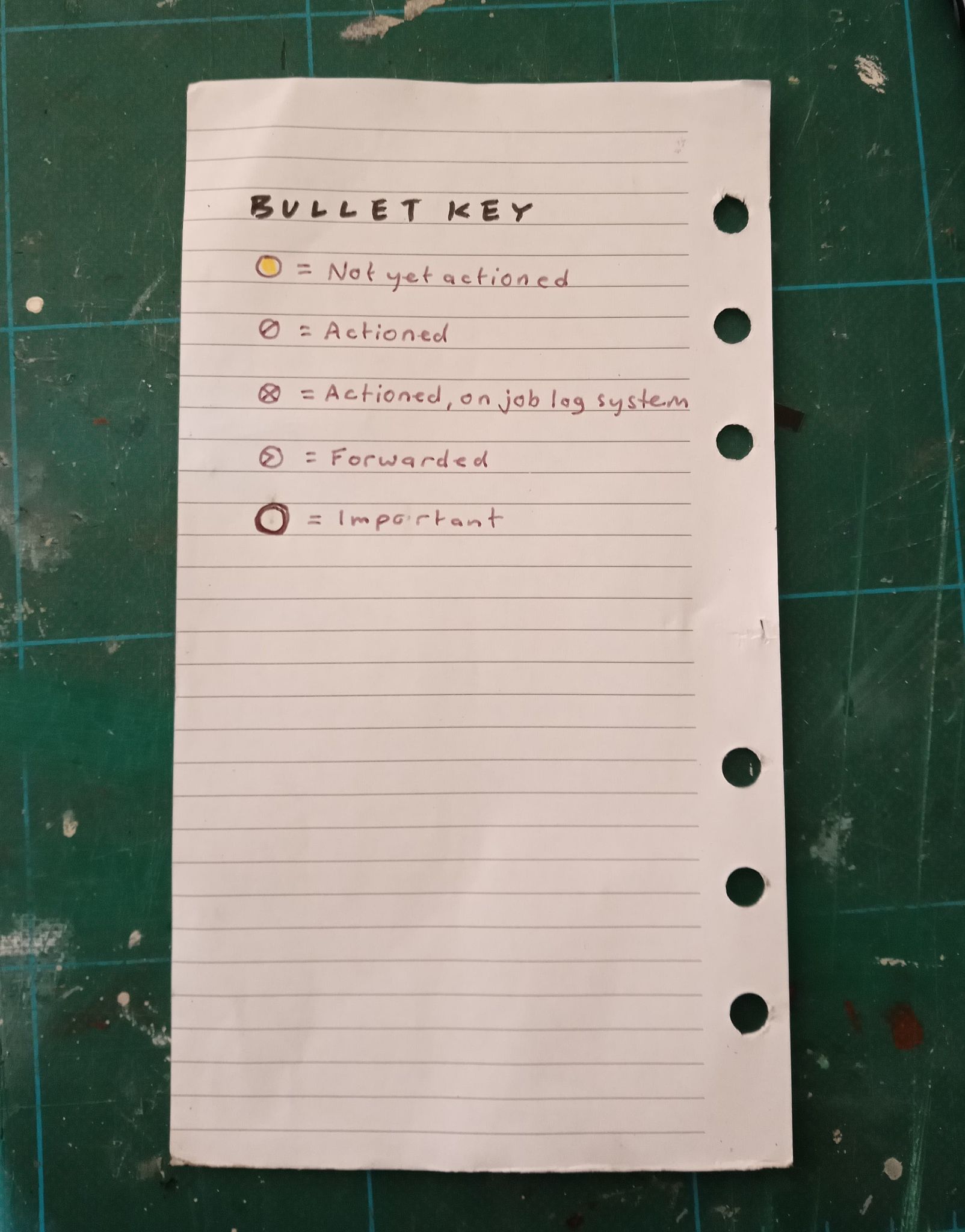
Bullet journaling was a revelation to me - the simple act of deciding on a series of icons to represent a range of different actions, turning lists of almost shorthand notes into meaningful actionable information, drastically reducing the space needed and allowing long lists of notes to be quickly scanned, categorised and actioned.

In-boxing wasn't a new concept to me having used email from the late 1990's, but using it in a Filofax was, and helped me break free from the space wasting and or limiting 'one page per day' routine. To help link date sensitive notes to the diary section - but without having to squeeze it onto a diary page - my stream of work notes are held in a tabbed section I call 'Now', right next to a tab called 'Week', which is next to 'Month' - all tabbed across the top edge of the Filofax. My 'Now' has become the jumping off point for all new information entering my day - so for instance an idea that occurs to me eating breakfast goes on to the next available line in the Now tab, and so on throughout the day. 


 Thank you, Paul, and we look forward to your next instalment!

20 September 2020

Guest Post - A Minimalist’s Filofax Notebook Bullet Journal

Thank you to Leslie for this guest post

As a minimalist, I’m passionate about eliminating distractions so I can focus on high priorities. I first discovered Ryder Carroll’s Bullet Journal system when it began making waves in the minimalist community. Since 2018, I’ve used BuJo to track and plan everything important to me. 

Analog planning has been a major relief from tech overload. Relying on smartphone apps for time management used to lead me down a rabbit hole of checking social media and news updates. Bullet Journaling is an alternative that keeps me away from my phone when I need to be productive.

My favorite practice inspired by the ‘The Bullet Journal Method’ book was swapping handwriting for typing. I’ve found that taking a little extra time to handwrite tasks, events, and notes forces me to pause and decide if they’re relevant. The tasks I hesitate to spend a few seconds jotting down are rarely worth doing at all.

I used the classic BuJo process for a year before experimenting with customizations. My simple modified layouts work seamlessly with my current routine. I enjoy seeing artistic Bullet Journals and appreciate the creative outlet of decorating them, but I prefer to keep my journal very basic. Here’s my setup:

Since my Bullet Journal often substitutes for my phone, I decided they should be equally lightweight and portable. The products I use for Bullet Journaling are a pocket size Filofax Notebook, a pen loop insert, dividers, a ruler page-marker, and dot grid filler paper. From a sustainability standpoint, I like how I can refill and recycle the paper while reusing the cover, dividers, and page-marker.


Each collection has its own divider and the notebook pages are easy to rearrange. My collections are: Monthly Log, Daily Log, Home, Online, Errands, and Notes. The final divider is for blank paper.

My Home collection has lists of home maintenance projects and dates that I completed seasonal chores.

Because I time-block unessential technology use, my Online collection includes a list of topics to research and websites to visit during scheduled tech time.

My errand list and grocery list are in my Errands collection.

Important notes from my Daily Log are copied into the Notes collection and events are copied into the Monthly Log collection since I save Notes and Monthly Logs but recycle old Daily Logs.


My Monthly Log layout is a simple 2 page horizontal spread. To easily find the current date, I check off dates as they pass. The chores column uses abbreviations for interval tasks like laundry. I underline Sundays to divide the weeks.


I designed a 2 page horizontal layout for my Daily Logs as well. I make my Daily Logs the night before; it usually takes about 5 minutes.

For each Daily Log, I start by checking my Monthly Log, collections, and shared Google calendars from my husband and workplace. Then I copy scheduled and time-blocked events into the schedule column. Notes are recorded throughout the day in the notes column.

The “Quick @ home” column is where I add tasks like unloading the dishwasher and reading a Bible passage. “Longer @ home” includes vacuuming and riding my exercise bike. Separating tasks by duration makes it easier for me to choose one based on how much time I have available. The errands column allows me to group away-from-home tasks efficiently.

Limiting my daily tasks and errands to these columns encourages me to maintain boundaries with my workload.


If you’ve already practiced the basics of Bullet Journaling, I recommend exploring modifications for a tailored fit. BuJo’s flexibility is what makes it such an effective tool for mindful organization.

Leslie Watson is an eco-minimalist from the West Coast, USA where she works as an elementary school teaching assistant. She shares her articles on Linktree. You can also find her on Instagram as @LessHasteAndLessWaste.

13 May 2019

Bullet Journaling in your Filofax

This weekend at PlannerCon Europe a video interview of Ryder Carroll talking to Mella and Liselotte was shown. Doing the sub-titles for the video reminded me that a few years ago I created some Filofax pages for doing Bullet Journalling. So it seemed a good time to repeat that post here.

I'm not going to attempt to explain the principles behind this idea or method, he does it so much better than I could anyway!.

Take a look at his website or watch the video.


After seeing the video I thought about trying this idea out myself and I was tempted to go out and buy a notebook to give it a try. But I know what I'm like with bound notebooks, I hate to make a mistake in them!

So I thought why not try and take this idea and use it in a Filofax... I have got plenty of those haven't I!!

But what sort of inserts? I looked at the website and the video quite a few times before coming up with some simple personal size inserts which will print on to personal size paper. I've also scaled these up to A4 so you can booklet print them to A5 as well.

After discussing this with Ray, we came up with a few ideas to improve the concept. For instance the index that Ryder shows in the video didn't look that well organised, so Ray suggested his method of creating an index in a notebook.  I decided that instead of creating fixed divisions on the index pages I would leave that up to user as to how they would divide up their index pages depending on their needs.

I'm making the inserts available in A5 and Personal sizes for you to download and try out for yourself.
Index (Personal) Word file or PDF File
Index (A5) Word file or PDF File

Daily Calendar (Personal) Word file or PDF File
Daily Calendar (A5) Word file or PDF File

Monthly Events/Tasks (Personal) Word file or PDF File
Monthly Events/Tasks (A5) Word file or PDF File

Collections (Personal) Word file or PDF File
Collections (A5) Word file or PDF File


So if you fancy trying this out download the inserts and give it a try.

Creative Commons License
This work by Philofaxy is licensed under a Creative Commons Attribution-NonCommercial 3.0 Unported License. Please download, adapt, use, share, but don't charge or use commercially.

04 September 2013

Bullet Journalling/Planning in your Filofax

Recently zooming around the various websites and blogs has been a new idea, or new to me I should say of 'Bullet Journalling', this was devised by Ryder Carroll.

I'm not going to attempt to explain the principles behind this idea or method, he does it so much better than I could anyway!.

Take a look at his website or watch the video.


After seeing the video I thought about trying this idea out myself and I was tempted to go out and buy a notebook to give it a try. But I know what I'm like with bound notebooks, I hate to make a mistake in them!

So I thought why not try and take this idea and use it in a Filofax... I have got plenty of those haven't I!!

But what sort of inserts? I looked at the website and the video quite a few times before coming up with some simple personal size inserts which will print on to personal size paper. I've also scaled these up to A4 so you can booklet print them to A5 as well.

After discussing this with Ray, we came up with a few ideas to improve the concept. For instance the index that Ryder shows in the video didn't look that well organised, so Ray suggested his method of creating an index in a notebook.  I decided that instead of creating fixed divisions on the index pages I would leave that up to user as to how they would divide up their index pages depending on their needs.

I'm making the inserts available in A5 and Personal sizes for you to download and try out for yourself.
Index (Personal) Word file or PDF File
Index (A5) Word file or PDF File

Daily Calendar (Personal) Word file or PDF File
Daily Calendar (A5) Word file or PDF File

Monthly Events/Tasks (Personal) Word file or PDF File
Monthly Events/Tasks (A5) Word file or PDF File

Collections (Personal) Word file or PDF File
Collections (A5) Word file or PDF File


So if you fancy trying this out download the inserts and give it a try.

Creative Commons License
This work by Philofaxy is licensed under a Creative Commons Attribution-NonCommercial 3.0 Unported License. Please download, adapt, use, share, but don't charge or use commercially.