I've been using my Getting Things Done based set up consistently since getting my first Filofax back in 2009. I may buy different binders, but my cardinal rule is not to mess with the system as I know that way leads to chaos and madness! Too much choice for me inevitably leads to procrastination and perfectionism, so I tend to leave it alone as it works. I did briefly set my Kensington up based on the Strikethru system, but whilst I do like it, I quickly changed back to the GTD one as I didn't feel the benefits were enough just for the sake of a change.
However, after 9 years I decided that it was time to have a go at using a more simplified layout. In general, I've been craving more simplicity in my life so decided to apply that to my beloved Winchester.
My sections are:
1) Inbox with spare paper
2) Lists
3) A-Z for everything else.
I don't have a diary section as I use Google calendar, which I know is less common in the Filofax community. I work set hours each week, so our combined calendar is fairly simple. I think I would go back to using a Filofax as a diary if I needed to keep track of more appointments or events though.
As I have so few sections, I realised that I could do away with my normal dividers, so I have two clear Filofax rulers to help me easily find the start of my Inbox & then the Lists section. I use an Oli clip to bookmark something that I'm currently working on.
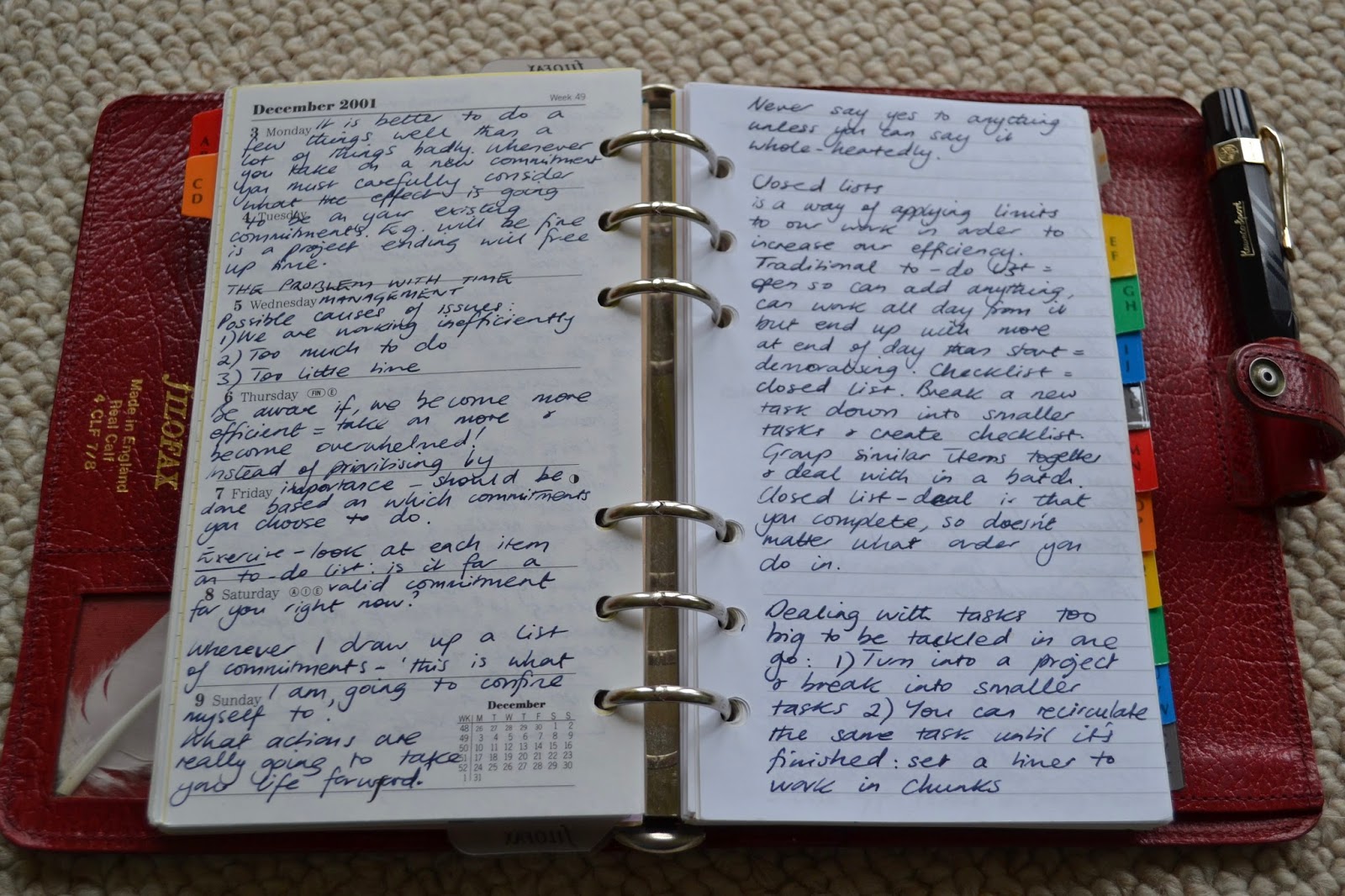
One big change for me has been improving my to-do list pages as I used to always use either lined or blank paper, like this:
When the list is newly written it's fine, but I've been finding that as I cross items out it becomes harder and harder to see what is still outstanding.
Whilst I've been decluttering, I came across a to-do list pad from Muji which I had forgotten. After chopping off a little extra length at the bottom, they are perfect. The Oli clip is also strong enough to attach papers to the front of my binder to help me focus, if I need it.
Instead of a to-do list with items all squashed together, this is what I now see when I turn to my Lists section. So much easier to read! As the sheets are slightly narrower than Filofax inserts, I snip across on them to the hole punched holes so that I can pull a page out easily, rather than trying to write on them on the reverse (like the slits that are on a Filofax ruler).
Sadly the pad is not double sided, so the other side is blank. I treated myself to a Hobonichi stencil and some Staedtler Triplus fineliner pens, so I draw the boxes and separating lines on the blank side in a different colour. The Winchester only has one pen loop, but the Staedtler pen fits in nicely next to my fountain pen once I close the fastener and stays in place (as per my first photo).
I normally only use my Kaweco Sport fountain pen, so I'm finding that a bit of extra colour helps brighten up the page and to make things clearer to read.
Once I have used up all the Muji sheets, I will then move onto some lovely Raymay Davinci to-do inserts that David P. kindly gave to me.
Next up is my A to Z section which is still a work in progress. I had some different types of A-Z dividers, but chose these non-branded ones as they're very thin and I like the colourful tabs.
I'm also using up some small notepaper stuck on with some washi tape.
My current project notes are filed under P, but my master projects list is in the Lists section. In my old set up, these were both together in my Projects section, so I may reconsider how I approach this as time goes on.
Some examples of current items in my A-Z:
1) Notes on aikido (the Japanese martial art I practise)
2) Notes on the book Do It Tomorrow by Mark Forster.
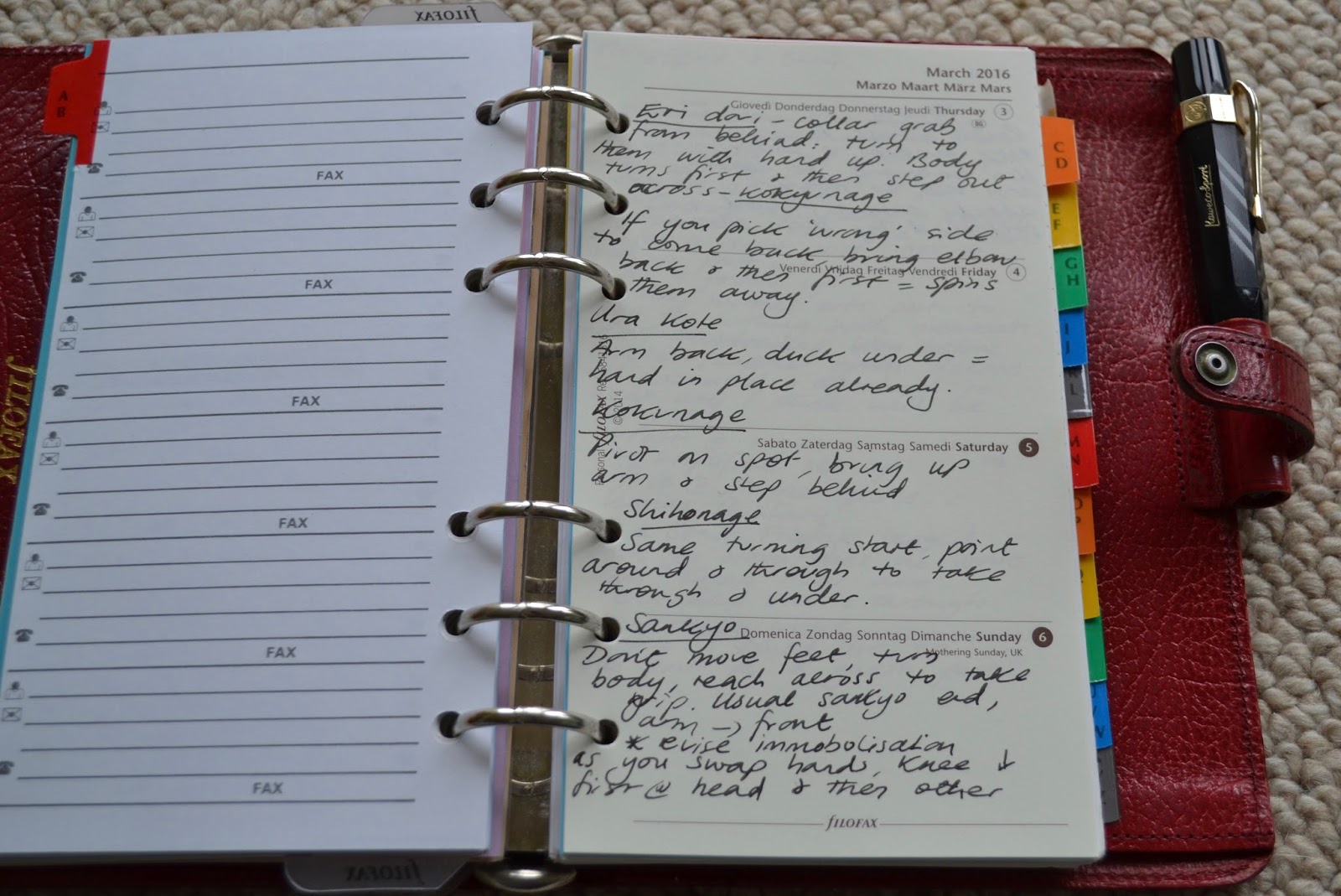
I think as time goes on, I will need to look at what I keep in the A to Z section, but at the moment I feel I have lots of spare capacity after removing the laminated dividers.
The final item in my binder is my faithful Getting Things Done workflow diagram. I scaled it down in size on a photocopier, laminated it and stuck on some washi tape so that I can quickly turn to it. It's been chopped down and hole punched for when I was using A6 size, but it's in every binder that I've used for many years.
So, that's my current set up which I've been using since the beginning of the year and I'm very happy with it. I feel that it's simple, but has enough flexibility so that I don't need to think about where to write something.
04 April 2018
03 April 2018
Web Finds - 3 April 2018
So I hope you have had a good weekend.
So now it is time to enjoy a great collection of blog posts and videos from around the internet.
Here are a selection of the latest Filofax videos for your enjoyment.
Enjoy.
So now it is time to enjoy a great collection of blog posts and videos from around the internet.
Here are a selection of the latest Filofax videos for your enjoyment.
- Plan with Me| Functional Planning - simplyloved
- Van Der Spek Pocket Ring Planner - Desiree Biggs
- Gillio Flip Setup April 2018 // Pink Planner Girl - Nicola PinkPlannerGirl
- PlannerCon 2018| Pros & Cons (Is It Worth It?) - Melanin Eclectic
- PLAN WITH ME | Personal/Medium Size kikki.K Planner | April 2 - 8 | SPRING?! - ms.paperlover
- Project Life Process #15 | Planner Con EU Fun! - Chloe's Thoughts
- Unboxing a Brand New FILOFAX - Queen Jessa
- GTD System and How It Works For Me / Filofax The Original Planner Set Up 2018 - LandofJadeNRocco Journals and Planners
- POCKET PLANNER / FILOFAX SPRING SETUP - J Lee
- Filofax Pocket Croco Fawn Unboxing - Leah Sullivan
- Pocket filofax croc in indigo. April2018 - Mermaid Kitty
- Filofax pocket malden - BizzyPlannerGirl X
- Conversion of a Filofax Domino Soft to TN with four elastics - Sophia Hodgson
- Новые страницы в ежедневнике, планере, органайзере/Pages for treatment Kikki.k, Filofax - Planner and Life
- For tips on how to improve your videos, please see this post. Also this video too Webfinds
- Your Filofax/Organiser Videos could appear in this list, just contact philofaxy at gmail dot com to be added to our monitoring list.
My Week Posts:
You might also be interested in Planner Spread Love on Facebook.
|
|
|
Labels:
Web
Free For All Tuesday No. 374
So what questions or discussion points have you got for us today?
It doesn't matter if you are a beginner or a more experienced user of organisers, we want to hear your thoughts, questions, opinions etc.
Make today the one day you post a comment or a question.
It is Tuesday after all so fire away.
It doesn't matter if you are a beginner or a more experienced user of organisers, we want to hear your thoughts, questions, opinions etc.
Make today the one day you post a comment or a question.
It is Tuesday after all so fire away.
Labels:
FFAT
02 April 2018
A date for your diary - Sunday 8th April 2018
We are going to run another conference round-table voice/video chat using Skype.
When? - Sunday 8 April at the following times:
Do not worry if you aren't available at the start of one of our sessions each one lasts 2-3 hours so pop up when you are available and say hello.
Where? - an on-line chat using Skype. with voice and video (if you wish)
What do I need? - just a micro-phone and some head phones(in ear phones work fine) and a free Skype account. Using headphones or earphone reduces 'echo' on the call. Video is optional, but a few of us will be on video as well.
Who - All of you... connect up with Philofaxy and we will attempt to get as many of us linked in to the audio conference as possible. Come and listen if you don't want to chat. What do we talk about? Filofax stuff... but anything else as well. It's like long lost friends meeting up for coffee and a catch up.. but don't worry if you have never joined in before... you are an old friend too!
If you have any questions you want to ask then please let us know in the group or before we start.
How -
As with previous round-tables there will also be a parallel text chat room going at the same time as the voice conference, so you can listen to the voice chat and type if you wish, just mute your microphone in Skype
If you need any assistance setting up Skype, please pop a comment in this post and I will try and help you get one line. Skype is free for computer to computer calls....
Here is my post on how to improve your Skype audio with headphones or a headset.
Hope to be chatting with you on Sunday 8 April 2018.
When? - Sunday 8 April at the following times:
- London 10:00 am,
- Paris 11:00 am,
- Brisbane 7:00 pm time.
- Los Angeles 8:00 am,
- Denver 9:00 am
- Dallas 10:00 am,
- New York 11:00am,
- London 4:00 pm
- Paris 5:00 pm etc.
Do not worry if you aren't available at the start of one of our sessions each one lasts 2-3 hours so pop up when you are available and say hello.
Where? - an on-line chat using Skype. with voice and video (if you wish)
What do I need? - just a micro-phone and some head phones(in ear phones work fine) and a free Skype account. Using headphones or earphone reduces 'echo' on the call. Video is optional, but a few of us will be on video as well.
Who - All of you... connect up with Philofaxy and we will attempt to get as many of us linked in to the audio conference as possible. Come and listen if you don't want to chat. What do we talk about? Filofax stuff... but anything else as well. It's like long lost friends meeting up for coffee and a catch up.. but don't worry if you have never joined in before... you are an old friend too!
If you have any questions you want to ask then please let us know in the group or before we start.
How -
- Connect to Philofaxy by firstly searching for Philofaxy in Skype, I will then add you as a contact.
- Then 'Send Contact Request', I will then add you in to the chat room.
- Then if you request it, I can add you to the audio conference as well. But if you just want to chat via keyboard that's fine. That way it's slightly less hectic for me!
As with previous round-tables there will also be a parallel text chat room going at the same time as the voice conference, so you can listen to the voice chat and type if you wish, just mute your microphone in Skype
If you need any assistance setting up Skype, please pop a comment in this post and I will try and help you get one line. Skype is free for computer to computer calls....
Here is my post on how to improve your Skype audio with headphones or a headset.
Hope to be chatting with you on Sunday 8 April 2018.
01 April 2018
Highlights for March 2018
So here are the highlights of the month of March.
We published the following posts.
Of course the Webfinds and Free For All Tuesdays, Fridays posts are always there each week, please join in the comments, everyone is welcome.
You can catch up on the Hitchhikers Guide to the Plannerverse Podcasts here:
If you have a guest post idea, please contact steve at philofaxy dot com or if there is a topic you would like to see us cover or revisit also please contact Steve.
I hope you find this post useful, please let us know in the comments and we will do our best to do a highlights post each month.
Wishing you all the best for April.
We published the following posts.
- Highlights for February 2018
- Monthly Overview Diary Insert in A5 and Personal size
- William Hannah - The Library
- Ring Mechanisms
- Pocket Season?
- Silent Sunday
- Ring Mechanism Parts Explained.
- Organiser diet
- The Hitchhikers Guide to the Plannerverse - Episode 70
- Silent Sunday
- How often do you visit Philofaxy?
- London Meet Up March 2018.
- Guest Post - It’s All A Matter of Space and Time -...
- Silent Sunday
- A5 Enhanced Time Manager Insert - Revisited
- Tell us about...... 21
- Filofax Carrying Pouch
We still need more volunteers for Readers Favourite Organisers, or Reader Under The Spotlight, please contact steve at philofaxy dot com
Of course the Webfinds and Free For All Tuesdays, Fridays posts are always there each week, please join in the comments, everyone is welcome.
You can catch up on the Hitchhikers Guide to the Plannerverse Podcasts here:
If you have a guest post idea, please contact steve at philofaxy dot com or if there is a topic you would like to see us cover or revisit also please contact Steve.
I hope you find this post useful, please let us know in the comments and we will do our best to do a highlights post each month.
Wishing you all the best for April.
|
|
|
Subscribe to:
Posts (Atom)